Moving to the cloud offers speed, scalability, and flexibility but for healthcare and regulated industries, it also raises important compliance questions. Achieving HITRUST cloud compliance across platforms like Azure and AWS means understanding shared responsibilities, implementing the right controls, and preparing for assessments. Whether it is HIPAA HITRUST Azure cloud requirements or general HITRUST-compliant cloud practices, organizations need a clear roadmap to secure sensitive data while staying audit-ready. This guide breaks down what you need to know to confidently navigate HITRUST compliance in both Azure and AWS environments.
What HITRUST compliance really means in Azure and AWS?
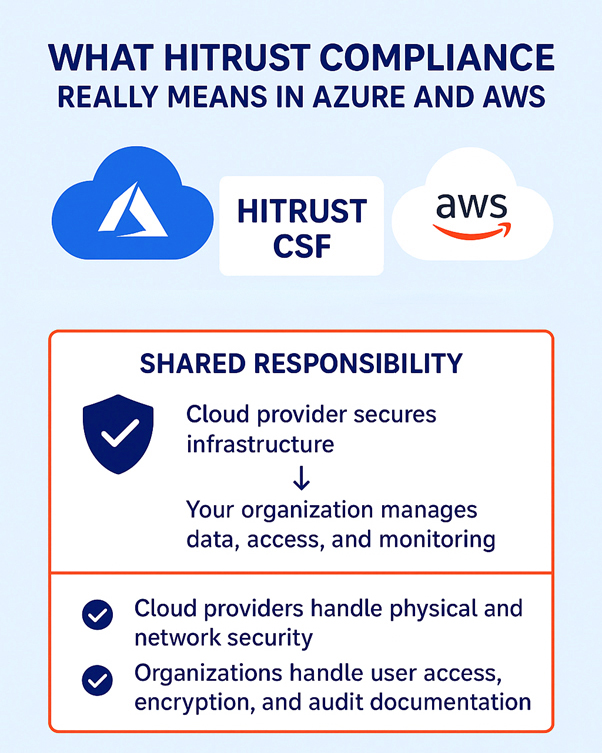
HITRUST compliance in the cloud isn’t just about hosting data in a certified environment—it’s about demonstrating a strong, ongoing security posture across people, processes, and technology. The HITRUST CSF acts as a “common language” for compliance by mapping dozens of frameworks like HIPAA, NIST, ISO, and GDPR into one structured standard. For organizations running workloads in Azure or AWS, this means understanding how HITRUST applies to cloud-native operations. Both providers offer HITRUST-certified services, but relying on the provider alone doesn’t equal compliance. For example, Azure may provide encrypted storage, and AWS may offer built-in monitoring tools, but if your team hasn’t enabled encryption keys or isn’t reviewing logs regularly, you can still fail a HITRUST audit.
Simply put, HITRUST cloud compliance is about proving that your environment is configured securely, continuously monitored, and aligned with regulatory expectations. Azure and AWS help provide the foundation, but the responsibility for securing data, ensuring privacy, and collecting audit evidence ultimately lies with your organization.
Who is responsible for what in your cloud environment?
A major misconception around HITRUST for AWS and Azure is assuming the provider does all the heavy lifting. In reality, cloud compliance is based on the shared responsibility model. Here’s how it typically works:
- Cloud Provider (Azure or AWS): Responsible for securing the underlying infrastructure-data centers, physical hardware, virtualization, and core networking. For example, AWS manages the global infrastructure, while Azure ensures redundancy and physical access controls in its data centers.
- Your Organization: Responsible for how you configure and use these services. This includes identity and access management, encryption, firewall policies, data protection, and evidence collection for HITRUST assessments.
- Shared Responsibility Areas: Things like patching, monitoring, and incident response can vary depending on whether you use IaaS, PaaS, or SaaS. For example, Azure might manage patches for a managed SQL database service, but if you’re hosting your own VM on AWS, patching is entirely on you.
Inheritance in cloud assessments
One of the most overlooked yet powerful features of pursuing HITRUST certification in the cloud is inheritance. Inheritance allows organizations to leverage the existing HITRUST certifications of their Cloud Service Provider (CSP) instead of proving every control from scratch. This can significantly reduce both the cost and time needed to prepare for an assessment. For example, physical data center security, hardware protection, and core infrastructure safeguards are already validated by leading CSPs. These can be directly inherited into your HITRUST assessment through platforms such as the HITRUST My CSF portal or provider-specific tools like AWS Artifact.
Levels of Inheritance
Not all controls are inherited equally. HITRUST uses a graduated model to reflect the shared responsibility between CSPs and customers:
- Full Inheritance (100%): The CSP owns the control entirely (e.g., physical security of data centers). You can inherit this without additional evidence.
- Partial Inheritance (25%, 50%, 75%): Both the CSP and your organization share responsibility. For example, encryption may be enabled by the CSP by default, but you must configure key rotation or access permissions. In such cases, only a percentage of the control can be inherited the rest requires your evidence.
This structure ensures clarity on what your CSP has already covered and what you must still demonstrate to an assessor. However, inheritance does not mean automatic compliance. Controls tied to how you configure and use cloud services such as identity management, encryption key handling, incident response and log monitoring remain your responsibility. Inheritance helps streamline the audit process by reducing duplication, but your organization must still prove that cloud services are securely implemented and continuously managed.
Essential HITRUST Controls for HIPAA on Azure and AWS
To achieve HITRUST compliance in cloud environments, you need to implement a combination of technical, administrative, and physical controls. These controls map directly to HIPAA requirements while aligning with HITRUST CSF. Key controls include:
1. Access Management:
Ensure that only authorized personnel can access sensitive data. Use role-based access control (RBAC), enforce strong authentication (MFA), and regularly review user access logs. Both Azure Active Directory and AWS IAM provide native tools to manage and monitor user access.
2. Data Encryption:
Encrypt data at rest and in transit using cloud-native encryption services like AWS KMS, Azure Key Vault, or third-party solutions. Managing encryption keys properly is critical—HITRUST auditors expect evidence that encryption is consistently applied and monitored.
3. Continuous Monitoring:
Leverage monitoring tools such as Azure Sentinel or AWS CloudTrail to track system activity, identify anomalies, and maintain audit logs. HITRUST requires that monitoring data is actively reviewed, and incidents are properly logged and addressed.
4. Incident Response & Logging:
Develop a clear incident response plan and integrate it with cloud-native logging systems. Document all incidents, response actions, and lessons learned, as auditors often review incident history to verify compliance.
5. Risk Assessment & Documentation:
Regularly perform risk assessments to identify gaps in cloud security. Document control implementations, policies, and evidence for auditors. Risk management is a core HITRUST requirement and must be maintained continuously.
6. Vendor & Third-Party Controls:
If you rely on third-party services or integrations, ensure they also comply with HITRUST-aligned controls. This includes proper agreements, security evaluations, and documentation for shared systems.
How to Get Your Cloud Ready for a HITRUST Audit?
Preparing for a HITRUST audit in Azure or AWS requires careful planning, control implementation, and evidence collection. Here’s a step-by-step approach:

1. Conduct a Gap Assessment: Compare your current cloud setup against HITRUST CSF requirements. Identify missing controls, misconfigurations, or undocumented processes. Tools like Azure Security Center and AWS Security Hub can help highlight compliance gaps.
2. Implement Necessary Controls: Based on the gap assessment, deploy or update controls. Ensure that encryption, access management, logging, and monitoring are correctly configured. Validate that these controls work in practice, not just in theory.
3. Enable Detailed Logging: HITRUST auditors will look for proof of consistent logging. Enable all relevant logs for identity management, file access, network activity, and administrative actions. Centralize logs for easier auditing and monitoring.
4. Collect Evidence & Documentation: Maintain detailed records of policies, procedures, and operational activities. Screenshots, configuration reports, audit logs, and change management records form the evidence for your HITRUST assessment.
5. Perform Internal Audit or Readiness Review: Before engaging a HITRUST assessor, perform a readiness review. Identify gaps in evidence or control performance. This pre-audit step reduces surprises and accelerates certification.
6. Engage a HITRUST Assessor: Work with an authorized HITRUST CSF assessor to validate your compliance. They will review controls, evidence, and processes, and guide you through any remediation needed before certification.
Practical tips to keep your cloud HITRUST compliant
Achieving HITRUST compliance is not a one-time event; it’s an ongoing effort. Here are practical tips to maintain compliance in Azure and AWS:
1. Treat Compliance as Continuous:
HITRUST requires ongoing monitoring and control validation. Automate compliance checks using cloud-native tools, regular security audits, and continuous improvement practices.
2. Stay Updated on Cloud Changes:
Cloud providers regularly update services, introduce new features, and retire old services. Review change logs, platform updates, and security advisories to ensure that new features do not introduce compliance gaps.
3. Centralize Security & Audit Operations:
Use a centralized security operations center (SOC) approach to manage alerts, incidents, and audit evidence. Centralized management simplifies monitoring across multi-cloud setups.
4. Train Your Teams:
Compliance relies on people as much as technology. Provide regular training to IT, DevOps, and security teams on HITRUST controls, cloud security best practices, and evidence collection processes.
5. Automate Evidence Collection:
Wherever possible, use automation to gather logs, monitor controls, and maintain documentation. This reduces human error and speeds up audits. Tools like AWS Config and Azure Policy can enforce and record compliance automatically.
6. Regularly Reassess Risks:
Business needs, cloud workloads, and regulatory expectations evolve. Conduct annual risk assessments or after major changes to ensure controls remain effective and compliant.
Final thoughts
Achieving HITRUST compliance in Azure or AWS is less about checking boxes and more about cultivating a culture of continuous security and accountability. The cloud gives you flexibility, speed, and scalability, but it also shifts the responsibility for protecting sensitive data squarely onto your shoulders. HITRUST provides the roadmap, but your organization is the navigator implementing controls, monitoring continuously and adapting to evolving risks. Think of HITRUST compliance not as a one-time project but as an ongoing journey. Each audit, each control review, and each update is a step toward building trust with your patients, partners, and regulators. Organizations that embrace this mindset don’t just pass audits-they turn compliance into a competitive advantage, demonstrating that they can innovate securely without compromising on privacy or trust.
Partner with ValueMentor for expert guidance, actionable strategies, and end-to-end support to make your Azure and AWS environments audit-ready and fully
FAQs
1. What is HITRUST CSF and why is it important for cloud environments?
HITRUST CSF is a unified security framework that helps cloud environments like Azure and AWS manage risk, protect sensitive data, and meet regulatory requirements.
2. How does HITRUST compliance work for Azure and AWS?
HITRUST compliance is a shared responsibility: the cloud provider secures infrastructure, while your organization manages data, access, and monitoring.
3. What are the shared responsibility areas?
Cloud providers handle physical and network security. Organizations handle user access, encryption, and audit documentation for HITRUST.
4. Which HITRUST controls are required for HIPAA in the cloud?
Access management, encryption, monitoring, incident response, and regular risk assessments are essential for HIPAA-aligned HITRUST compliance.
5. How do I prepare my cloud for a HITRUST assessment?
Conduct a gap analysis, implement controls, enable logging, and collect evidence to demonstrate compliance readiness.
6. Can multi-cloud setups achieve HITRUST certification?
Yes. Ensure consistent control implementation, monitoring, and documentation across all cloud providers.
7. What are common HITRUST cloud challenges?
Shared responsibility gaps, keeping up with cloud updates, consistent control enforcement, and maintaining audit records.
8. How often should HITRUST cloud controls be reviewed?
Annually or whenever there are major platform changes, new workloads, or regulatory updates.
9. Do Azure and AWS security tools help with HITRUST?
Yes. Tools like Azure Sentinel, AWS CloudTrail, and Config simplify monitoring, logging, and control enforcement.
10. How long does HITRUST compliance take in the cloud?
Typically, 6-12 months from assessment to certification, depending on readiness and scope.